 Field Scout
For people viewing homes to rent or buy
See what the listing doesn't tell you
Field Scout checks a home while you stand in it: where the afternoon sun lands, how loud the bedroom is and which way the balcony really faces.
When a number is an estimate, the app says how sure it is.
Illustration


How it works
One page per home, with the answer on top
A plain sentence first. The numbers are there if you want them.
Every home in one place
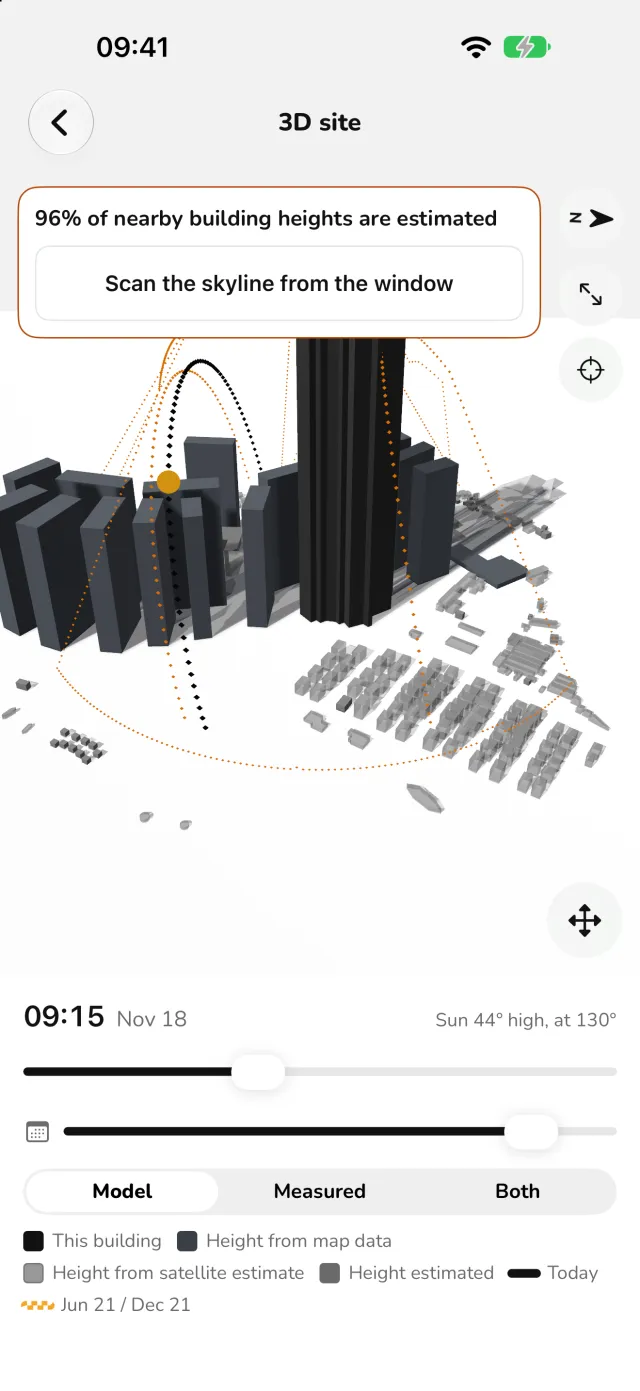
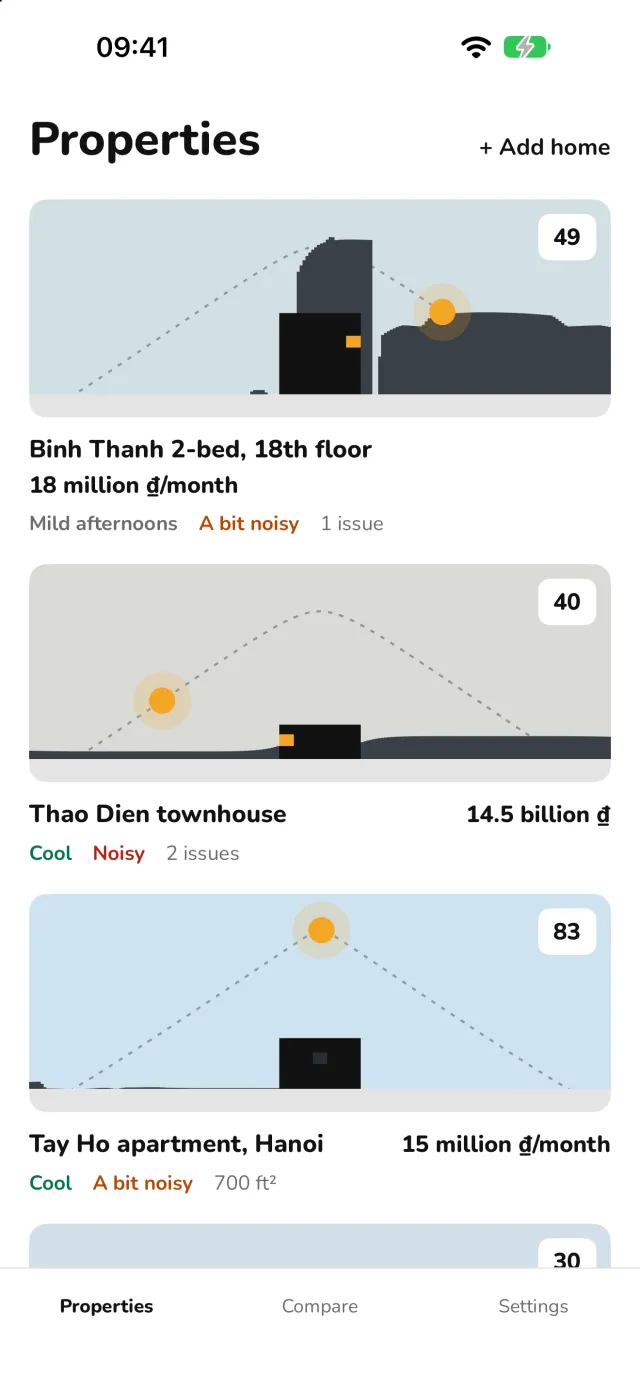
Sun, noise, condition and direction for each home you view, with a score out of 100. The 3D model on top shows the real buildings around it.
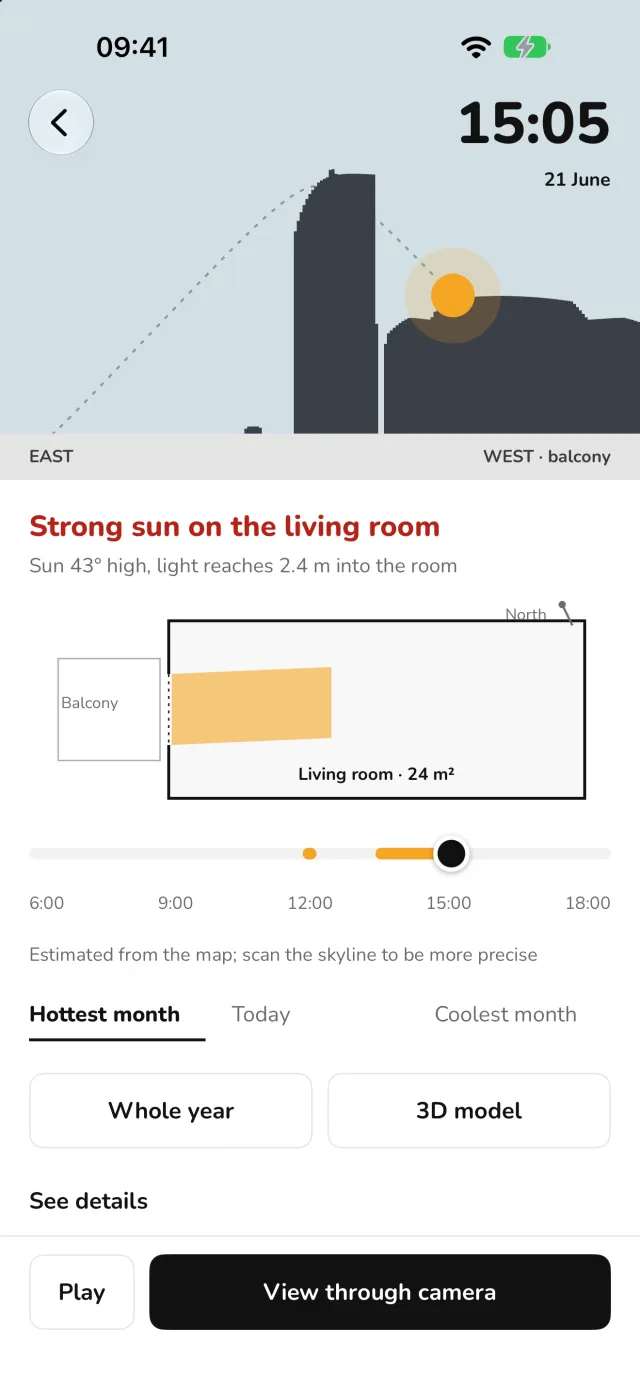
Where the sun lands, hour by hour
Watch the sun cross the neighbouring buildings and see how far into the room it reaches, for the hottest month, today and the coolest month.
Built from real buildings and terrain
Buildings come from OpenStreetMap and the terrain from Copernicus. When a height is a guess, the app says so, and you can scan the skyline from the window to check.
The street, before you go
From the map alone: road noise outside, how walkable the area is and whether the home sits low or near water. Shown as an estimate that may be incomplete.
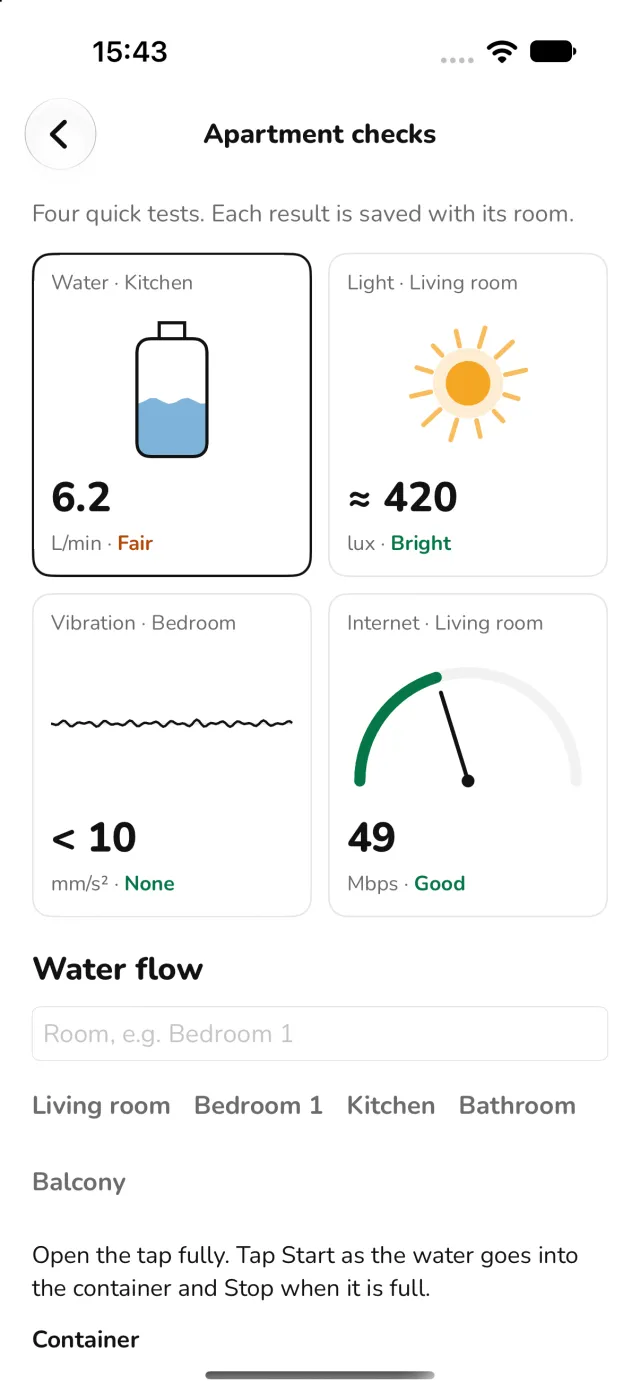
Four quick checks inside
Water flow at the tap, light in the room, floor vibration and internet speed. Each result is saved with its room.
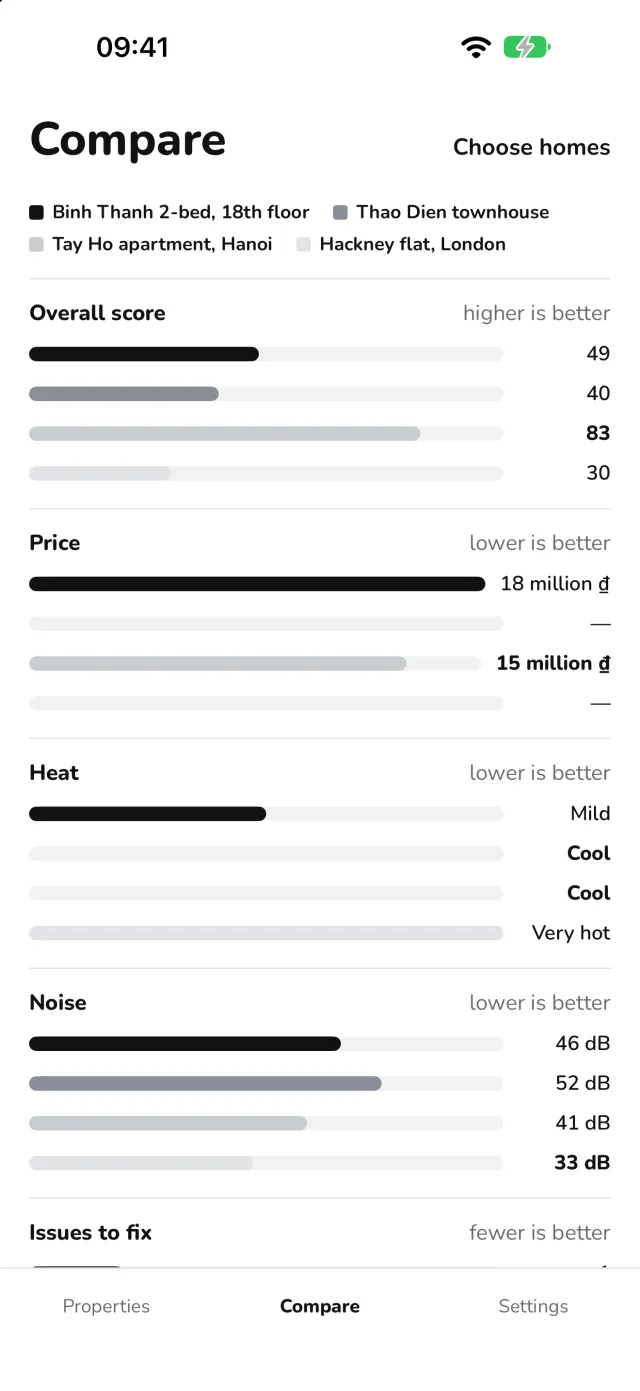
Side by side, then decide
Put up to 10 homes next to each other and score them on what matters to you.
On site
Every tool you need for a viewing
Each one saves its result into the home you're looking at.
A guided visit
Direction, sun, noise, issue photos and the checklist, one screen at a time. Skip any step.
A compass that admits when it's wrong
Steel and wiring can push a phone compass off by 10 to 40 degrees. A live trust score tells you, and you can take the direction from the map or the sun instead.
Feng shui on a direction you can trust
Bát trạch: Kua number, East or West group and the star each facade falls in, for several people at once. A cultural reference you can turn off.
Noise the photos don't show
The noise level and the quiet background of each room, plus hums from pumps, fans and transformers. Readings without calibration are marked ≈, about ±5 dB.
Measure and level
AR measuring with a confidence for every number, or type values in. Floor and wall slope in degrees and mm per metre.
Photos and a checklist
Tag cracks, damp, mould, wiring and plumbing by room, and work through a checklist from water pressure to paperwork.
A whole year of sun
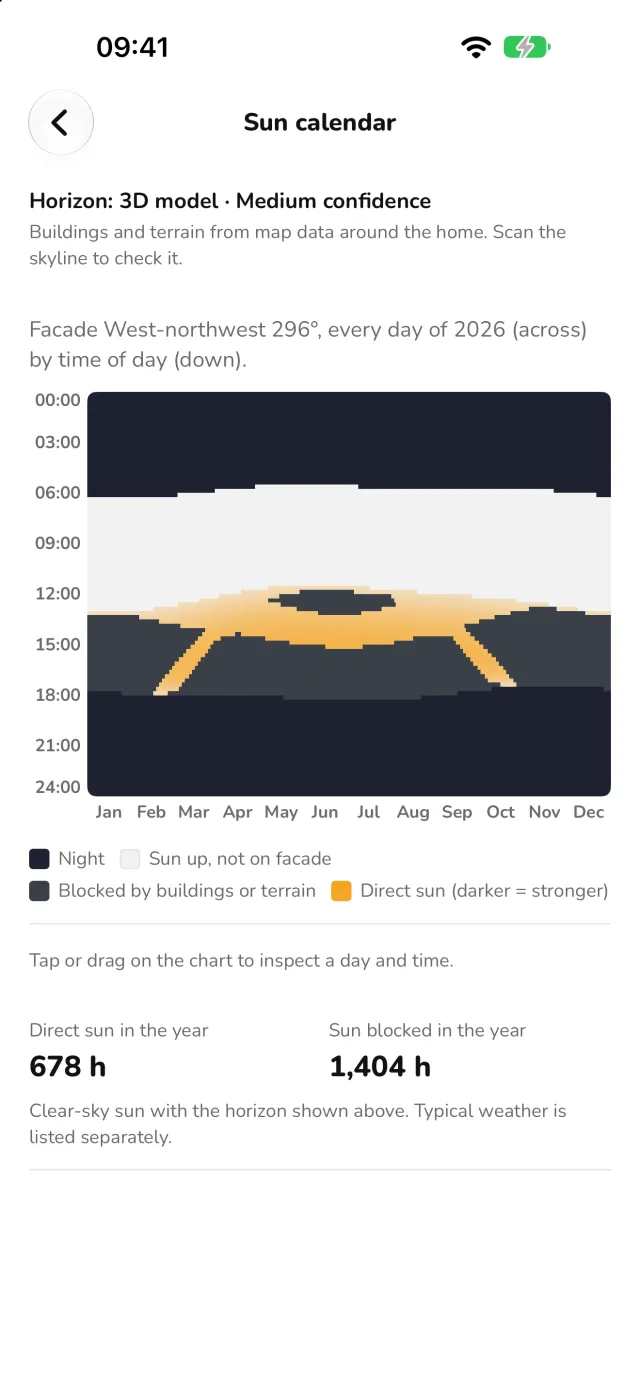
A day-by-day sun calendar for the facade shows when it gets direct sun and when other buildings block it.
A PDF report
Sun, direction, noise, measurements, issues and photos in one file to send to your family or the landlord.
After you move in
Still useful once you've chosen
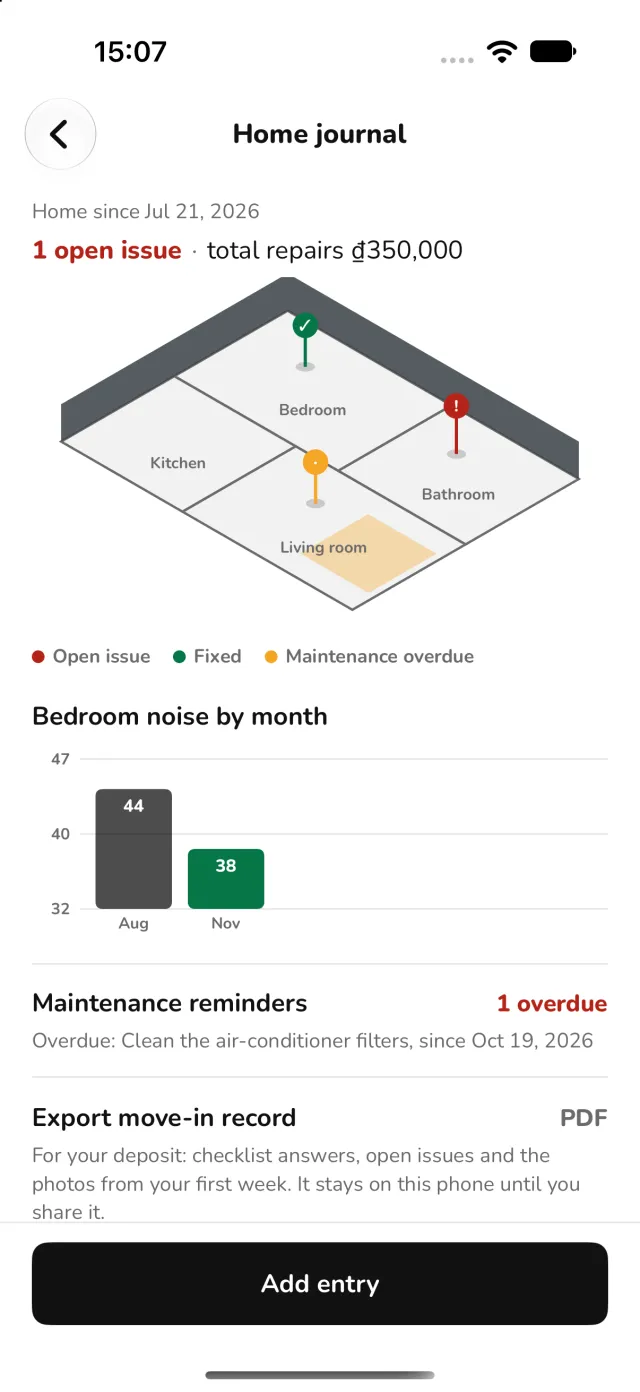
Tap “I moved in here” and the home gets a journal: issues, repairs and what they cost, and the readings you take through the seasons.
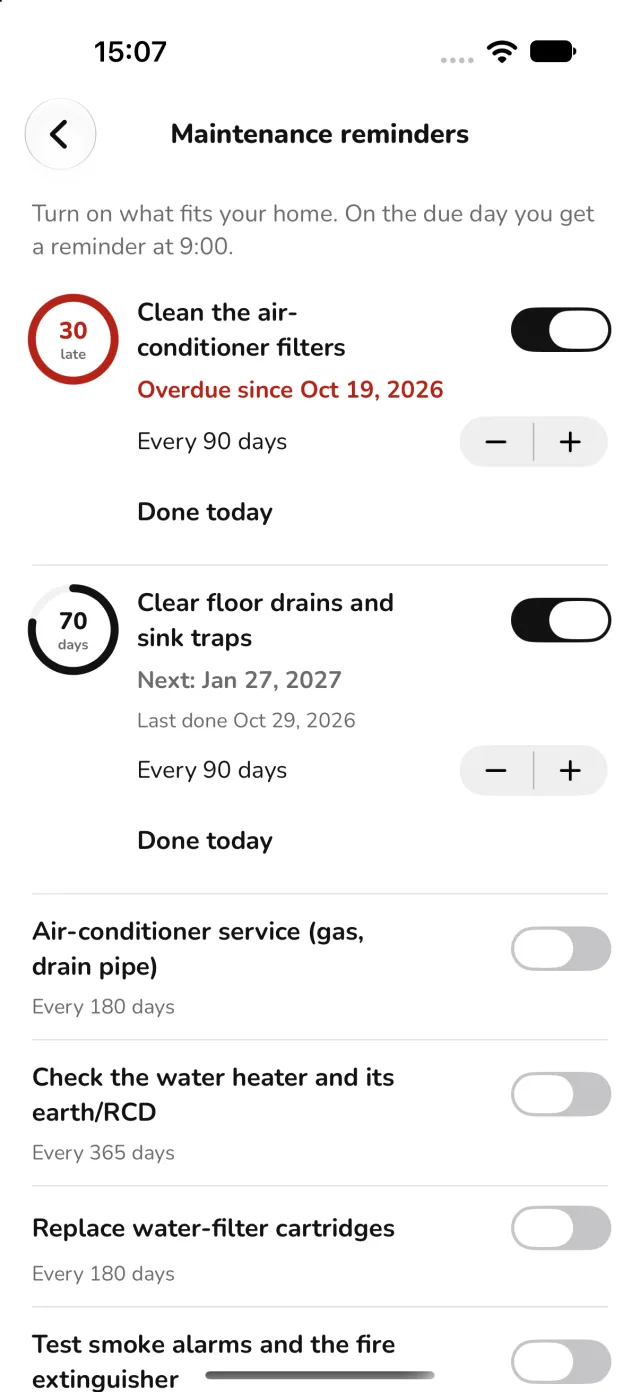
Turn on the maintenance reminders that fit your home and you get one at 09:00 on the day it's due. A move-in record PDF helps when it's time to get your deposit back.

Inside the app
A look at every screen
Captured in the app on iPhone.
Honest numbers
It tells you when it isn't sure
A phone is a good way to compare homes, not a certified survey. So every result says where it came from.
Estimates are marked
A ≈ in front of a number means it's an estimate, with the likely error next to it.
≈ 46 dB · not calibratedIt names its data
Each sun result says whether it used your measured skyline, the 3D model or open sky.
Estimated from the mapIt hides what it can't back
When a sensor can't be trusted, like a compass next to steel, the number is hidden and the app says why.
Can't use hereThe same maths on both phones
Sun and compass calculations run the same on iPhone and Android and are checked against the same reference cases.
iPhone = AndroidMap and weather data
- Buildings: OpenStreetMap contributors (ODbL), with some heights from Google Open Buildings 2.5D Temporal.
- Terrain: Copernicus DEM GLO-30, European Union and ESA.
- Typical weather: NASA POWER, NASA Langley Research Center.
Good to know
Useful details
Free and Pro
Free for a first look, Pro for a serious search
Free covers a few homes with today's sun. Pro adds the seasons, the 3D model, comparing and reports.
Free
Enough to check up to 3 homes.
- 3 active homes
- Today's sun on the facade
- Compass with trust score, and feng shui
- 10-second noise check
- Apartment checks and the neighbourhood
- Photos, checklist and home journal
Field Scout Pro
A 30-day pass, yearly with a free trial, or monthly for agents.
- Unlimited homes
- Sun and heat through the seasons, with nearby buildings
- 3D model, sun calendar and typical weather
- 30-second noise with spectrum and hum detection
- Compare homes with a score
- PDF reports
Prices are shown in the app before you buy. Subscriptions can be cancelled any time in your App Store or Google Play account.
Frequently asked questions
Who is it for?
Anyone viewing homes to rent or buy, and agents who show them. No tools or know-how needed.
How accurate is it?
Good enough to compare homes, not a certified survey. Estimates are marked ≈ and each result says what data it used.
Do I need to be there?
Not for the neighbourhood and the sun model, which work from the map. Noise, the apartment checks, measuring and photos need you in the room.
Does it work offline?
Yes. Every tool works without signal, and map data for an area is kept after the first download.
Is the feng shui scientific?
No. It's a traditional cultural reference, worked out on a direction you can trust, and you can turn it off.
What happens to my audio and location?
Audio is analysed on the phone and never recorded. Coordinates leave the phone only inside a report you choose to share. See the privacy policy.
Need help?
Write to support@uranashel.com or visit the support page. We read everything.
Field Scout is coming soon to iPhone and Android.
Free to download. Good luck with the search.